
Video and sound, started together.
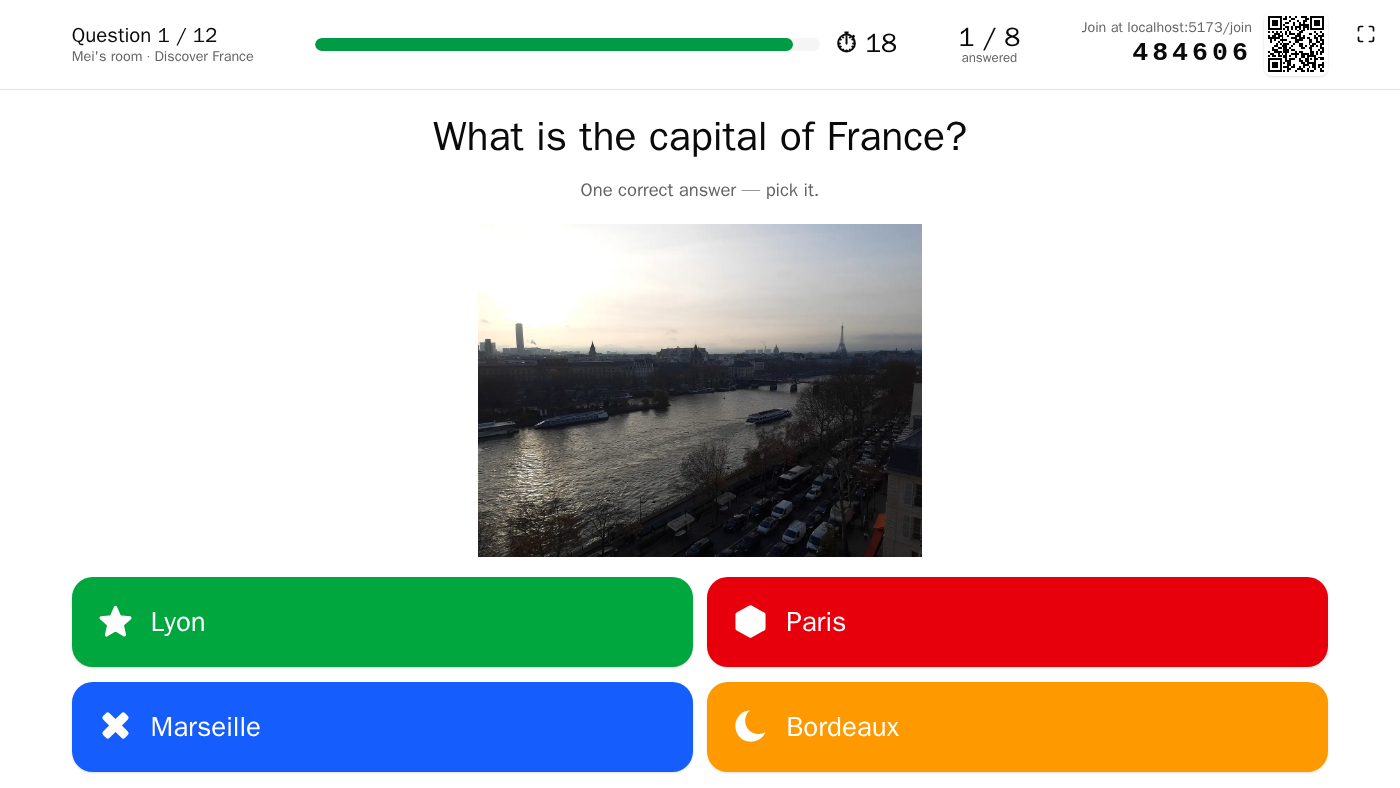
A question can show an image or a video and play a sound. Files are converted in the host's browser, fetched one question ahead, and started on the server's clock on every device that plays them.
What can a question or a slide show?
- A question: one visual, an image or an uploaded video, and one sound. A video brings its own sound. On the big screen the picture sits below, above, left or right of the text.
- Image choice: 2 or 4 pictures as the answers, each with its colour, shape and required alt text, cropped to 4:3; one or several right answers; a sound if you like.
- A slide: headings, Markdown text, images and two or three columns (up to 30 blocks), on a background image or gradient, with a full-screen looping video or a sound.
Embedded videos from YouTube or Vimeo are not supported: upload the file.
Which files can I upload?
The host's browser converts each file before it is sent. The server never transcodes.
- Images become WebP, at most 1920 pixels wide or high. A GIF keeps its first frame; SVG is refused.
- Videos become MP4 with H.264 and AAC, at most 1080p on the short side and 30 frames per second, compressed to fit the limit.
- Sounds become M4A (AAC at 128 kb/s, lowered to 64 if needed).
The server then checks the bytes and accepts MP4 (H.264, AAC), M4A, MP3, PNG, JPEG, GIF, WebP and AVIF. Limits, by default: 10 MiB per image, 50 MB per video, 10 MB per sound; the operator can raise or lower each. A quiz bundle imports up to 50 MiB.
Browser support: media are built and tested on Chromium-based browsers (Chrome, Edge). Firefox cannot re-encode video to H.264.
How does the room start a media together?
Each device fetches the next question's media while the current one plays, and only what it will play. Before a question with sound or video, the server waits for the devices that play it, up to 10 s by default (20 s with the large-event preset); the host can Start anyway. Images are not waited for.
The server then sets a common start 1.6 s ahead on its clock. Every device starts on its corrected clock and checks its position every 500 ms. With Start the timer when the media ends, players listen first and answer after. How closely devices actually play together has not been measured.
Who hears the sound?
Projection only, Projection and remote participants (the default) or Every device. The author sets it for the quiz and for each question (Who hears this sound), and the host can set it for the session. Phones in the room show the picture, and play the video only with Every device.
Browsers block sound until someone clicks: the projection asks for one click, Turn sound on. The host's console stays silent.
How are the levels kept even?
Sound levelling. The editor measures each sound's loudness (EBU R128, ITU BS.1770-4) and its peak. At playback, every sound and video of a quiz is brought to the quiz's target, Loud (−14 LUFS), Balanced (−16 LUFS, the default) or Calm (−23 LUFS), without clipping. The files are not changed.
The mixer. Quiz media, music, effects and interface sounds each have their own channel, then a master with a limiter; music steps aside while a question plays its own media. Every device keeps its own volume and mute. The Room sound panel, all off in a new room, offers Answer received, Question start, Time's up, Countdown and Music, built in or from the library, with levels for media, music and effects, Projection sound and Room muted.
Can the host control playback live?
Yes. The console plays, pauses and restarts the sound, seeks on its waveform, and plays, pauses or restarts a video. Seeking never moves the timer. The waveform has three sizes, or is hidden, per question (Waveform size).
Where do media live?
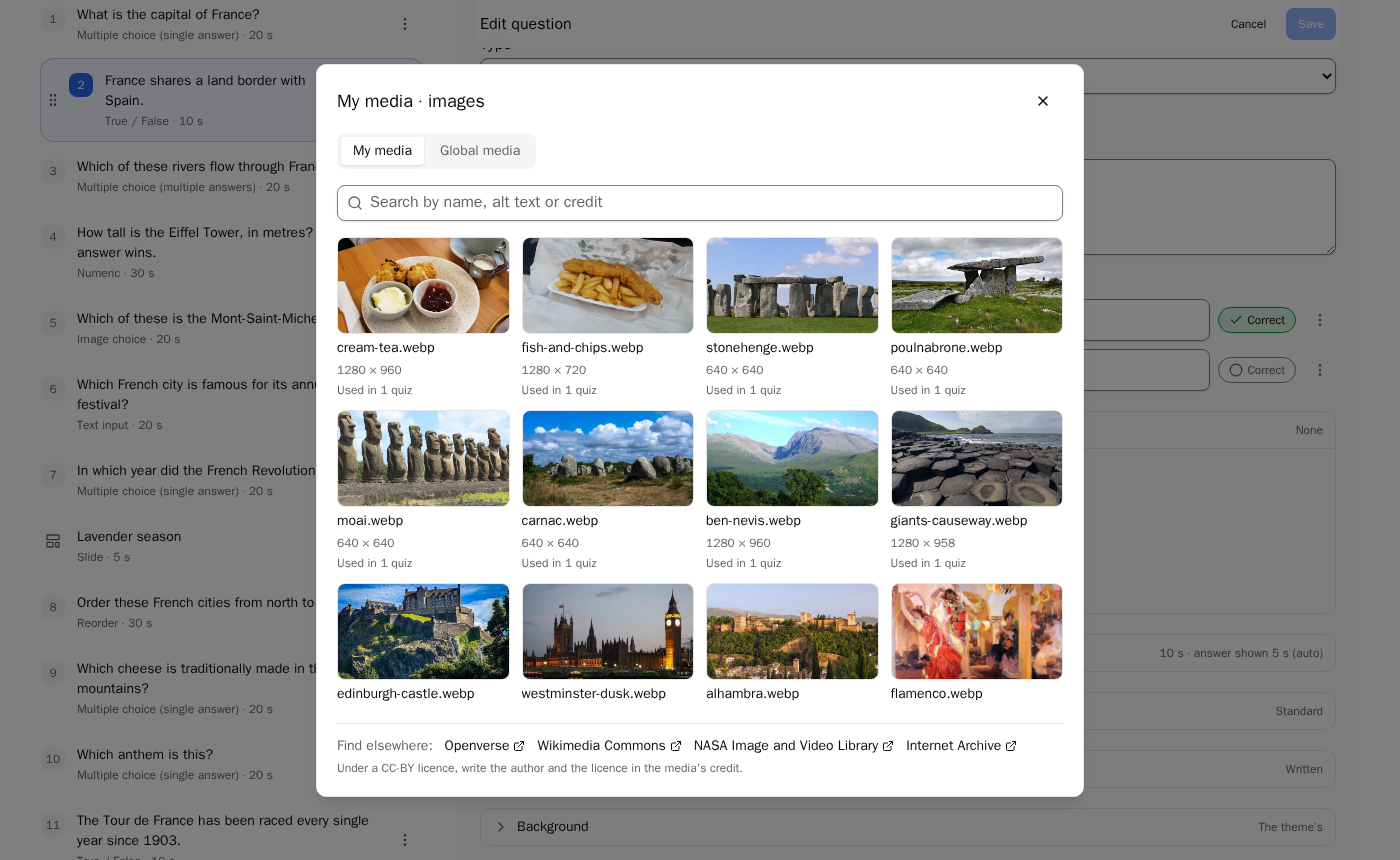
- My media: each host's images, videos and sounds, searchable by name, alt text or credit, with Used in N quizzes. Reusing a file copies its alt text and credit; an unused file can be deleted.
- Global media: files an administrator offers to every host. Using one gives the host a copy, credit included. Never cleaned up.
- Administration › Media: disk use by owner and kind, usages, deleting any file, uploading or promoting to global, running the clean-up.
The clean-up runs at start, then hourly, and deletes files unused and older than 24 hours. A file still used by a quiz, a live game or an archived result is kept (Kept for past results). Each file is stored once, named by its SHA-256; a file uploaded again is recognised before conversion.
How are credits handled?
Each media has a free-text credit (author, licence, source), with a reminder for CC BY. Credits appear on the preview page and in small print under the podium. There is no structured licence field per media. To offer a quiz as a template, its author picks a licence for the quiz: CC0, CC BY 4.0 or CC BY-SA 4.0.
Under Find elsewhere:, the editor links to free libraries: OpenSoundLibrary, Freesound, ccMixter, Openverse, Wikimedia Commons, NASA Image and Video Library, Internet Archive. They are links only; the operator can change the list or hide it.
Questions
Can I embed a YouTube or Vimeo video?
No. Videos are uploaded files, converted in the browser and served by your instance. Embeds from video sites are not supported.
Which browsers work for media?
Media are built and tested on Chromium-based browsers, such as Chrome and Edge. Firefox cannot re-encode a video to H.264, so convert videos from Chrome or Edge.
Does the server convert my files?
No. The host's browser converts each file before upload: images to WebP, videos to MP4 (H.264 and AAC), sounds to M4A. The server only checks that the bytes are one of the formats it accepts, and never transcodes.
Do players hear the sound on their phones?
Not by default. The default, Projection and remote participants, plays the sound on the big screen and on the devices of remote participants; phones in the room stay silent. Every device includes them, per quiz, per question or for a session.
How large can a file be?
By default 10 MiB for an image, 50 MB for a video and 10 MB for a sound, after conversion. The operator can set images from 1 to 50 MB, videos from 1 to 500 MB and sounds from 1 to 100 MB.
Do unused files pile up on the server?
No. A clean-up runs at start, then every hour, and deletes files nobody uses that are older than 24 hours. A file still used by a quiz, a live game or an archived result is kept. A file uploaded twice is stored once.