Open source · MIT · self-hosted

Live quizzes you actually own.

QuizDock is an open-source live quiz platform you run on your own infrastructure: a big screen for the room, a phone for each player, and every result in your own database.

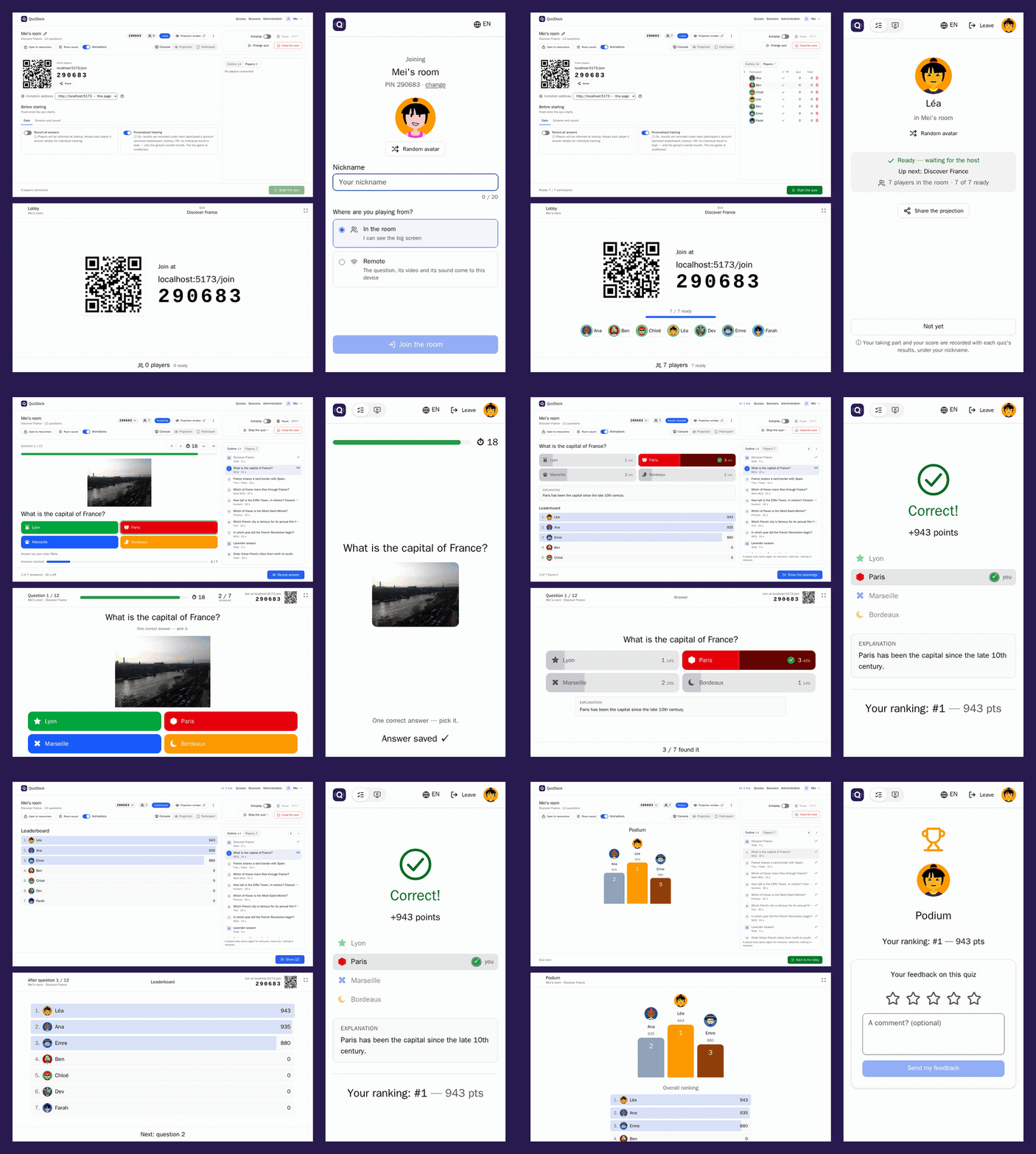
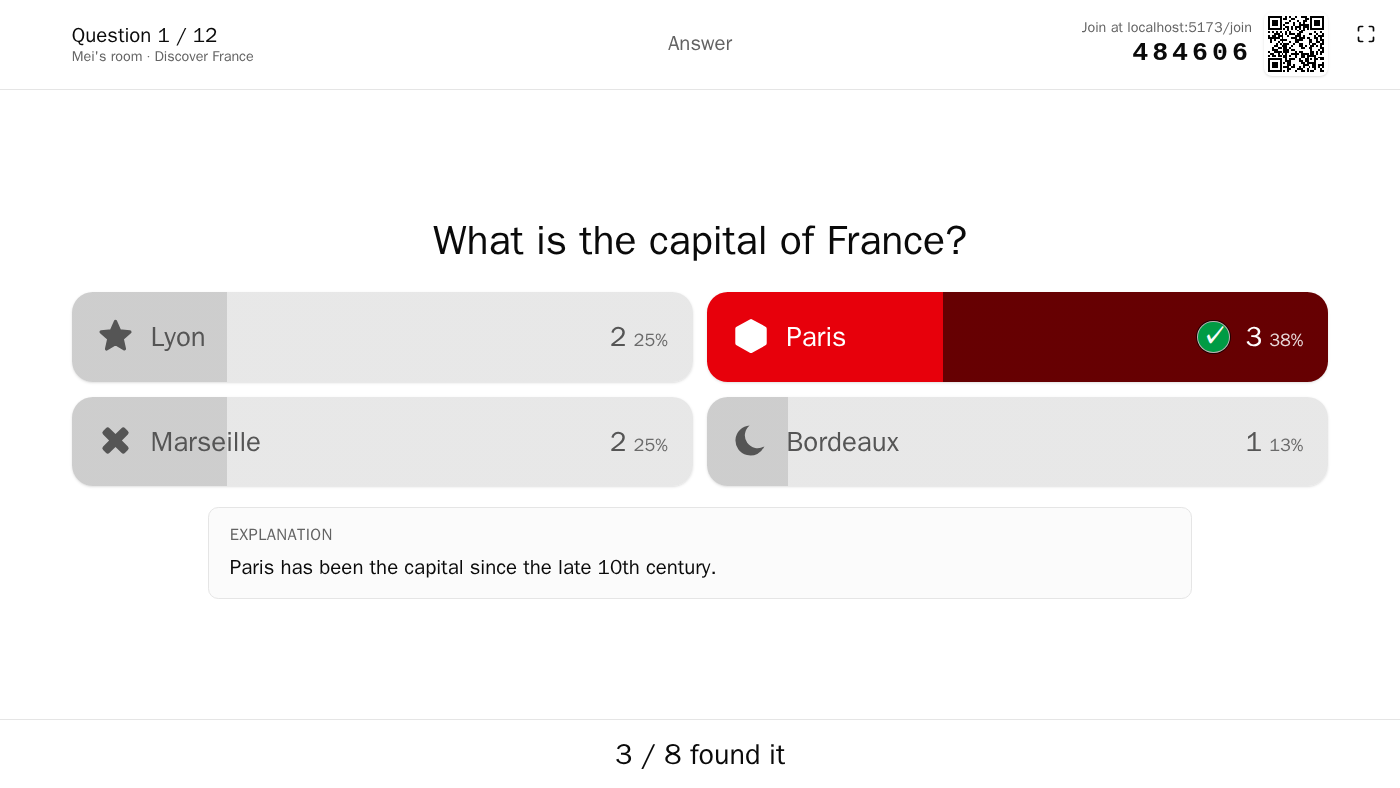
The host's console, the big screen and a player's phone: players join by PIN, Léa answers first and right, the reveal, the standings, her podium
A session as the room sees it: intro slide, questions, answers coming in, reveals.

Why QuizDock

Plug-and-play

No identity provider to start: a host takes the seat by name, players join with a PIN and a nickname. A setup wizard in the browser, twelve sample quizzes, a script that backs up, upgrades and checks the instance.

Easy to try, run and operate →

Your infrastructure, your data

The application, PostgreSQL, Redis and a media volume: nothing else. No telemetry, no third-party scripts in the pages. With the offline preset and local accounts, the server makes no outgoing request.

Self-hosted, offline included →

Real time, measured

The server sets every start and deadline and stamps every answer on arrival. 50 rooms of 30 players: answers acknowledged in 9 ms at p95.

Measured 2026-09-27: backend on one 2.1 GHz core, players simulated on the same machine, no media.

Timing, sync and benchmarks →

From one classroom to an organisation

Start in local mode, move to your OpenID Connect provider with the same image: host and admin roles, a web administration, settings the operator can lock, an audit trail of every administrative change.

QuizDock for organisations →

Ready to use, not a prototype

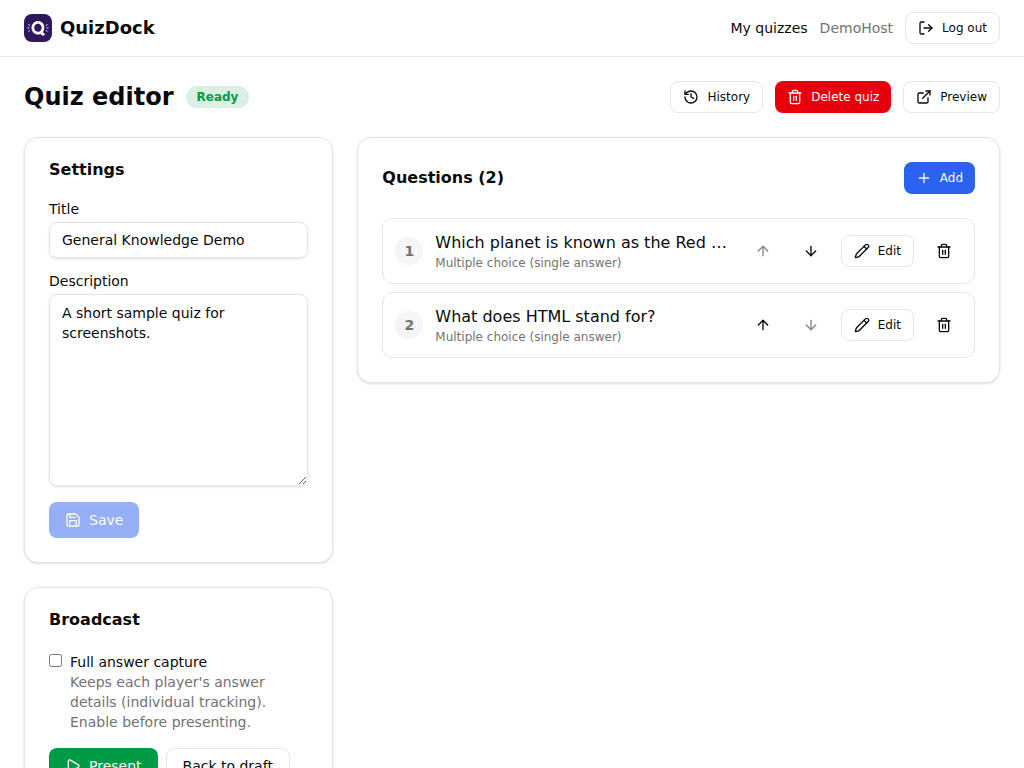
The quiz editor
The editor: eight question types, slides, media.
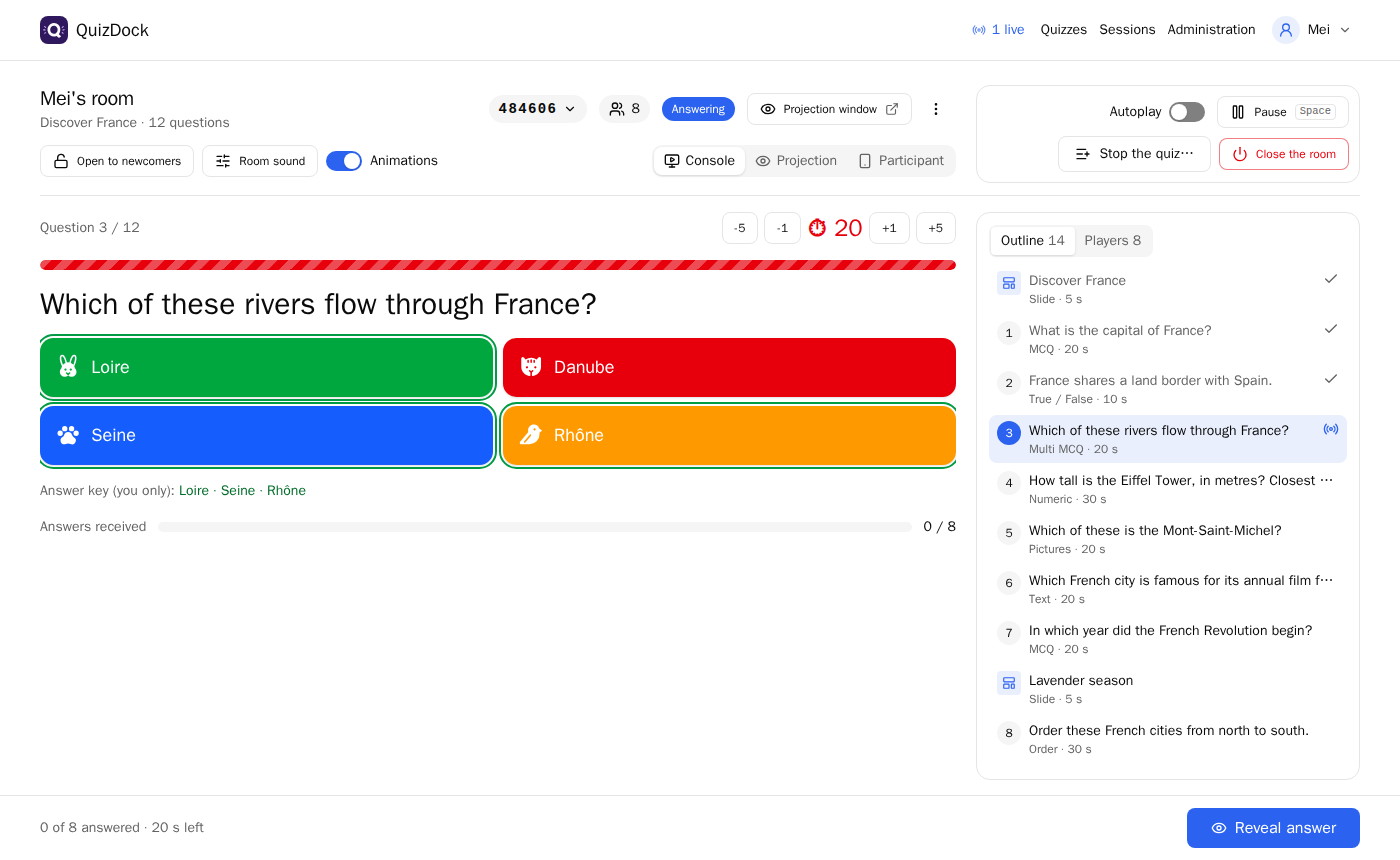
The host console during a question
The host console: pace, timer, who answered.
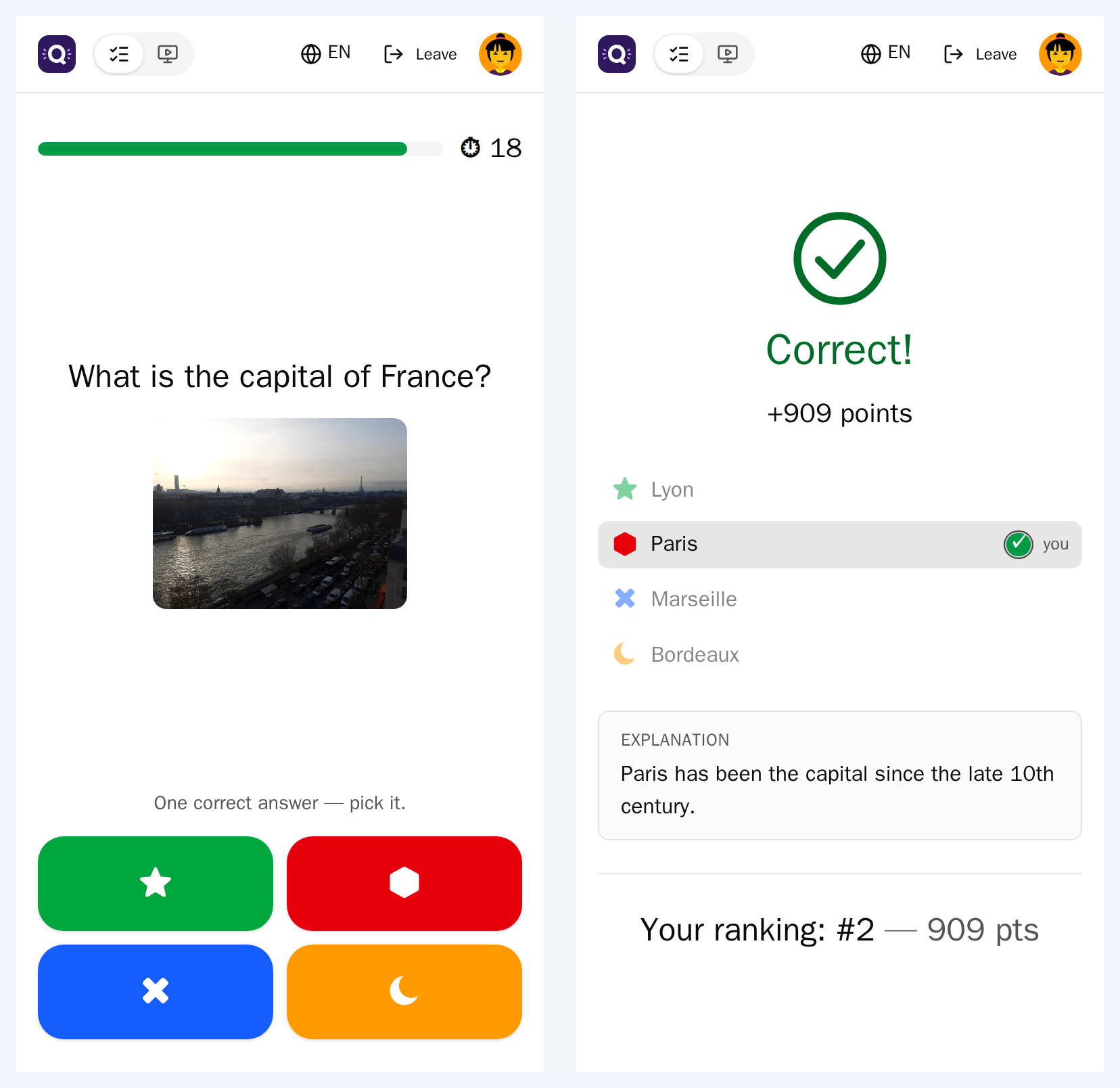
A player's phone during a question
A player's phone: colour and shape on every answer.
The big screen at the reveal
The big screen at the reveal.
A live demo ↗Open it, present a sample quiz, join from your phone.
Published benchmarks →Scenario, machine and raw results, with what was not measured.
A web administrationSettings, accounts, quizzes, media, health, audit, and a setup wizard for a new instance.
An operator scriptstatus, doctor, backup, restore, upgrade.

Made for the way you run quizzes

What a game looks like

Eight question types, and slides

Single and multiple choice, true/false, text, numeric, ordering, poll, image choice. Slides between questions, Markdown, backgrounds, explanations after the reveal.

Video and sound, started together

Media fetched one question ahead and started on the server's clock. Remote participants get the question and its media on their own device (experimental).

Accessible by design

Colour and shape on every answer, reduced motion, a longer reading time in one choice of the setup wizard.

Privacy chosen at launch

The host decides whether results are kept per player and whether every answer is recorded; players are told which.

Bring your quizzes

Import Kahoot spreadsheets and QuizDock bundles, offer templates on the instance, browse a community catalogue if the operator enables it.

Results you keep

History per quiz, results per question and per player, standings across several quizzes in one room, CSV exports.

Try it, run it, deploy it

Run

One container with its database, on Docker Desktop or any machine:

docker run -p 18080:3000 -v quizdock:/data \
  fchaussin/quizdock:standalone

Then open http://localhost:18080.

Images and tags on Docker Hub ↗

Deploy

A guided install with PostgreSQL and Redis, with or without your identity provider:

curl -fsSLO https://raw.githubusercontent.com/quizdock/quizdock/main/quizdock
chmod +x quizdock
./quizdock init
./quizdock up
Choose a deployment →

Open source, MIT. Twelve interface languages, translations welcome on Weblate ↗. Released as Docker images for amd64 and arm64, a new version announced in the administration.

fchaussin/quizdock on Docker Hub ↗